


Car Play Connect for Android
4.3466.00 Reviews
App Specs
- Version
- 3.1.16
- Updated On
- License
- Free
- Downloads
- 100,000+
- Developer
- LeoStudio Global Ltd.
- Categories
- Auto & Vehicles
- Platform
- Android
Screenshots
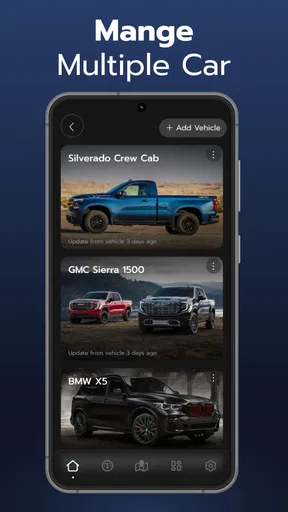
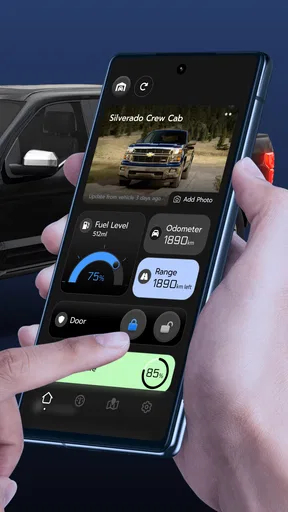
 Analysis by AppCompare
I judge a car-connection app less by how impressive it sounds in a feature list and more by whether it gets me from phone to useful information without turning the start of a drive into troubleshooting. That is the promise behind Car Play Connect for Android: bringing navigation, calls, music and car information into the driving setup. Its focus is practical, but the experience depends on an important detail—your phone and your car need to work well together.
What to expect when connecting
The first thing I would check is whether the car’s display actually supports the kind of phone connection this app is intended to use. A cable or Bluetooth connection can get devices talking, but that alone does not guarantee that every car can show the same interface or functions. Before relying on it for a commute, I’d try the connection while parked and see what appears on the dashboard.
That small test also sets realistic expectations for speed. The app’s usefulness is not just about how quickly it opens; it is about how long it takes to connect, get a route ready and reach the controls I need. If I have to reconnect or hunt through menus every time I start the car, the convenience fades quickly. A first setup at home, with the car stationary and the phone unlocked if needed, is a more sensible way to find out whether the routine feels smooth.
Where it can fit into a real drive
I can see this being most helpful on a familiar daily route that still needs occasional navigation, or on an unfamiliar trip where I want directions and music available without picking up my phone. For example, before leaving for an appointment, I’d set the destination while parked, check that the car display is showing the route, then keep the phone put away as I drive. That is a more useful test than trying to configure everything after pulling into traffic.
Calls and music also make the setup more appealing for drivers who already use their phones for both. The main trade-off is attention: a larger display may make information easier to glance at, but it does not make tapping through options while moving a good idea. I would keep any setup changes, destination entry and playlist choices for before departure or a safe stop.
How it compares with familiar options
Many drivers already have a navigation app on their phone, a built-in system in the car, or a direct phone connection offered by the vehicle. Those options may be simpler when they already handle maps, calls and audio reliably. Car Play Connect makes more sense to explore if you want a phone-centered way to bring those tasks together, especially if the car’s own interface feels limited.
I would not assume that it replaces every built-in feature or works identically across vehicles. A car’s native system may respond more predictably because it was designed for that specific dashboard, while a phone-based setup can be more familiar but may depend on the phone, connection and vehicle behaving as a team. If the built-in navigation is already clear and dependable, switching solely for the sake of a different interface may not be worth the extra setup.
Worth Reading Before You Choose

EA SPORTS FC Mobile 26 Is a Bigger Football Game, but It Takes Time

Flipboard Shows What News Apps Must Do Beyond the Feed

Switching to Android Auto Means Rethinking Your Driving Routine

Google Calendar Makes a Crowded Week Easier to Manage

Ludo King Makes the Most of the Minutes Between Plans

Baby Panda World Brings Quick Play to Modern Phones, but Its Game Library Feels Busy
Getting Started with Car Play Connect
First things first, installation is a breeze. Once you’ve downloaded Car Play Connect for Android from the Google Play Store, you simply connect your phone to your car using a USB cable or through Bluetooth, depending on your vehicle's compatibility. The app automatically recognizes your car's system and syncs up, transforming your dashboard into an extension of your smartphone.
One of the aspects I found quite satisfying is the user-friendly interface. The app mirrors your phone's screen in a way that’s intuitive and easy to navigate. You’ll feel right at home swiping through your apps, just like you would on your phone.
Features That Stand Out
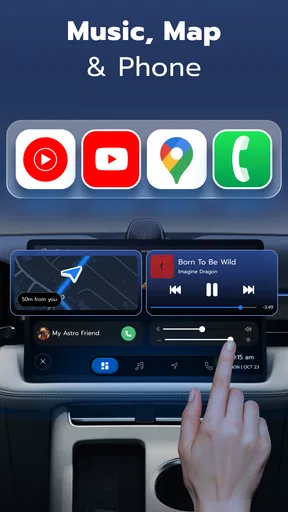
Let’s talk about the features because, honestly, that’s where the magic happens. The app supports a variety of functions, including navigation, music streaming, and messaging—all hands-free! You can use voice commands to get directions, play your favorite playlists, or even send texts without taking your eyes off the road.
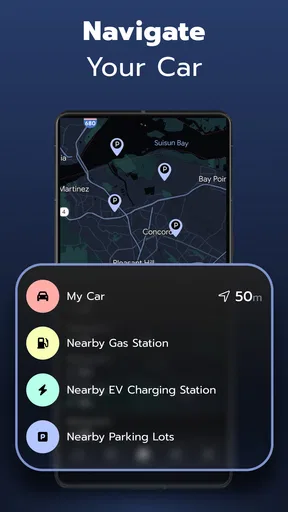
Navigation is one of the app’s standout features. It integrates flawlessly with Google Maps, providing real-time traffic updates and alternate route suggestions. Say goodbye to getting stuck in traffic or missing your exit!
For music lovers, the app supports Spotify, Apple Music, and other popular streaming services. The sound quality is crystal clear, and you can easily switch tracks or adjust the volume with simple voice commands.
When it comes to communication, Car Play Connect offers a seamless experience. You can send and receive messages through WhatsApp, Messenger, and SMS, all dictated by your voice. It reads your messages out loud and lets you reply without ever touching your phone.
Driving Experience Enhanced
Now, let’s get a bit personal. I’ve been using Car Play Connect for Android for a few weeks, and it’s genuinely changed how I drive. With a busy schedule, I rely heavily on my phone for directions and staying connected, and this app has made multitasking on the road safe and easy.
One memorable moment was when I was running late for a meeting. I simply asked for the quickest route, and the app provided real-time updates that helped me avoid delays and reach on time. It’s those little conveniences that make a big difference.
Additionally, the voice command feature is incredibly responsive. I had no issues with the app misunderstanding my commands, even with background noise from the car. This reliability gives you peace of mind, knowing that you can depend on the app without constant fiddling.
Reliability in everyday use
In practice, I would treat any phone-to-car connection as something to verify at the beginning of a trip, rather than assume it will always reconnect exactly as expected. If the display does not come up, the useful first checks are straightforward: confirm the phone is connected, make sure the car is set to the right input, and try reconnecting while parked. That avoids the tempting but unsafe habit of troubleshooting from the driver’s seat while moving.
Longer drives put more demands on the whole setup than a quick errand. Navigation, audio and calls may all be in use, and the phone is doing the work behind the dashboard experience. I’d keep it charged and positioned so it does not overheat in direct sun, and I would avoid starting several demanding tasks on the phone just before setting off. These are sensible precautions for a phone-based system, not a promise that every connection issue can be fixed this way.
Who will benefit, and who may want another option
This is worth considering if your routine already revolves around an Android phone and you want its driving-related functions easier to reach from the car. It may also suit someone whose vehicle has a compatible display but whose usual setup feels awkward for switching between directions, calls and music. The best fit is a driver willing to test the connection once and establish a simple routine before depending on it.
I would be more cautious if you need a guaranteed, identical experience across different cars, or if your vehicle’s built-in system already does everything you need. It is also not a reason to use a phone while driving: voice control and a dashboard view can reduce handling, but they cannot remove distraction. Drivers who prefer a dedicated navigation device or a familiar factory system may be happier staying with that option.
Worth knowing before installing
Car Play Connect is a free app from LeoStudio Global Ltd. in the auto and vehicle category. It has an average rating of 4.4 from around 4,000 ratings, with over 100,000 installs. It is marked for everyone, and the current version is 3.1.4; Android 8.0 is the minimum operating-system requirement. There are in-app purchases, with items ranging from $4.99 to $99.99, so I would check what is offered in the app before buying anything rather than assume every option is included at no cost.
One practical question is whether the app will work with a particular car: the answer depends on the vehicle’s display and connection compatibility, so testing while parked is more useful than relying on the app alone. Another is whether it can replace a car’s existing system. I’d view it as an alternative way to bring phone functions into the driving setup, not an automatic substitute for every built-in control. And if the connection proves fussy, using the car’s own system or a standalone navigation option is a perfectly reasonable fallback.
Final Thoughts
To wrap it up, Car Play Connect for Android is a game-changer for anyone looking to integrate their smartphone with their vehicle. It’s packed with features that not only enhance your driving experience but also ensure your journey is as smooth and safe as possible.
If you’re someone who spends a lot of time behind the wheel and wants to stay connected without compromising safety, this app is definitely worth a try. So go ahead, hit that download button, and take your driving experience to the next level!
Pros
- Seamless integration with Android devices.
- User-friendly interface with intuitive controls.
- Supports a wide range of car models.
- Quick setup with step-by-step guidance.
- Frequent updates for improved performance.
Cons
- Limited features compared to native car systems.
- Occasional connectivity issues reported.
- Requires a stable internet connection.
- Some features locked behind a paywall.
- Compatibility issues with older devices.
FAQs for Car Play Connect for Android
What is Car Play Connect for Android?
Car Play Connect for Android is an application designed to integrate your Android device with your car's infotainment system, allowing you to access apps, music, navigation, and more directly from your car's display. It's ideal for drivers seeking a seamless way to use their phone while on the road.
Is Car Play Connect for Android compatible with all vehicles?
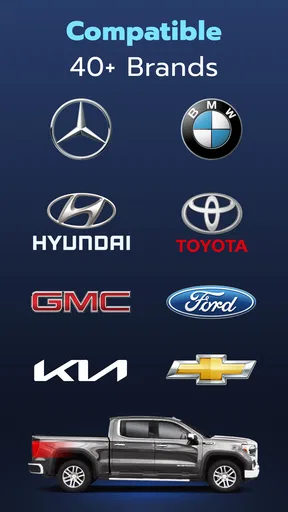
Car Play Connect for Android is compatible with a wide range of vehicles, particularly those with modern infotainment systems that support third-party app integration. However, it's recommended to check your car's specifications or consult with the manufacturer to ensure compatibility before downloading the app.
What features does Car Play Connect for Android offer?
The app offers numerous features including hands-free calling, messaging, navigation, music streaming, and access to various apps. It’s designed to enhance your driving experience by providing easy access to essential smartphone features without distracting you from the road.
Are there any subscription fees for Car Play Connect for Android?
Car Play Connect for Android may offer both free and premium versions. The free version typically includes basic features, while the premium version, available via subscription, includes advanced features and additional app integrations. Check the app store listing for detailed pricing information.
How does Car Play Connect for Android ensure driver safety?
The app is designed with driver safety in mind, featuring voice command capabilities and a simplified interface to minimize distractions. It allows you to keep your hands on the wheel and eyes on the road, ensuring a safer driving experience while using smartphone functionalities.


